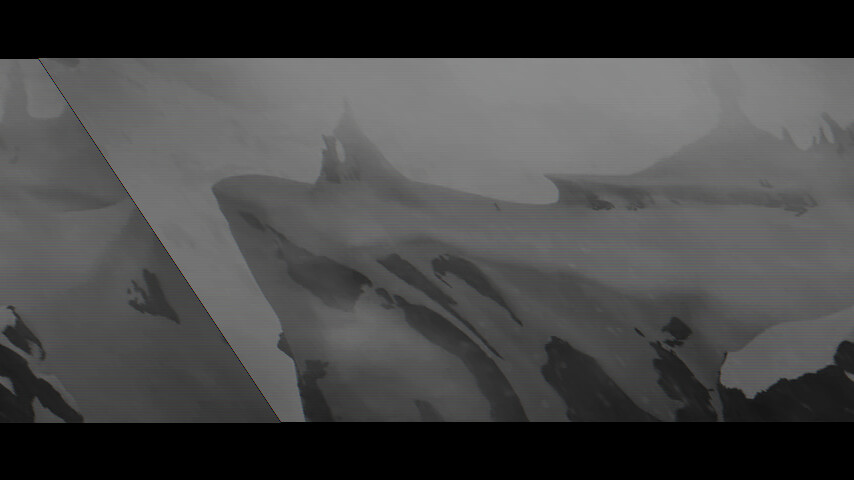
The below code uses appsink (video convert to RGB first), the image appears skewed.
static GstFlowReturn on_new_sample (GstElement *appsink, gpointer user_data) {
GstSample *sample;
GstBuffer *buffer;
GstMapInfo map;
// Pull the sample from the sink
sample = gst_app_sink_pull_sample (GST_APP_SINK (appsink));
if (!sample) return GST_FLOW_ERROR;

GstCaps *caps = gst_sample_get_caps(sample);
GstStructure *st = gst_caps_get_structure(caps, 0);

int width, height;
gst_structure_get_int(st, "width", &width);
gst_structure_get_int(st, "height", &height);
const char *format = gst_structure_get_string(st, "format");
static int y=0;
cout<<y<<" "<<width<<" "<<height<<" "<<format<<endl;
++y;
buffer = gst_sample_get_buffer (sample);

// Map the buffer to access the raw data (e.g., raw pixels)
if (gst_buffer_map (buffer, &map, GST_MAP_READ))
{
    cv::Mat rgb, bgr(height, width, CV_8UC3, &map.data[0]);
    cv::cvtColor(bgr, rgb,cv::COLOR_BGR2BGRA);
    if(y%100==0)
        cv::imwrite("1.png", rgb);

    gst_buffer_unmap (buffer, &map);
}

gst_sample_unref (sample);
return GST_FLOW_OK;
}
void Gstreamer()
{
playbin = gst_element_factory_make (“playbin”, “playbin”);
GstElement *sink_bin = gst_bin_new("sink-bin");
GstElement *videoconvert = gst_element_factory_make("videoconvert", "videoconvert");

gtksink = gst_element_factory_make("appsink", "appsink");
g_object_set(G_OBJECT (gtksink), "emit-signals", TRUE,NULL);
g_signal_connect (gtksink, "new-sample", G_CALLBACK (on_new_sample), NULL);

auto filter = gst_element_factory_make ("capsfilter", "filter");
auto caps = gst_caps_from_string ("video/x-raw, format=RGB");
g_object_set (G_OBJECT (filter), "caps", caps, NULL);
gst_caps_unref (caps);

gst_bin_add_many(GST_BIN(sink_bin), filter,videoconvert, gtksink, NULL);
gst_element_link_many(videoconvert, filter,gtksink, NULL);

// 3. Create a Ghost Pad on sink_bin
GstPad *pad = gst_element_get_static_pad(videoconvert, "sink");
gst_element_add_pad(sink_bin, gst_ghost_pad_new("sink", pad));
gst_object_unref(pad);

g_object_set(playbin, "video-sink", sink_bin, NULL);
g_object_set (playbin, "uri", "https://gstreamer.freedesktop.org/data/media/sintel_trailer-480p.webm", NULL);

gst_element_set_state (playbin, GST_STATE_PLAYING);
}